Seed Tree Pty Ltd
SeedTree POS
Point-of-sale software for Australian cafés — ordering, kitchen display, and Tyro EFTPOS integration, on one iPad.
EFTPOS integration with Tyro
What it does
Till
Menu, modifiers, custom items, split payments, tipping and refunds — sized for one hand at a busy counter.
Card payments
The till sends the amount to your Tyro terminal, which takes the payment. No re-keying, no mismatched totals at close.
Kitchen display
Orders reach the kitchen and bar the moment they are rung up, routed per station, with dietary-alert highlighting.
Books that keep up
Takings, tips and GST are captured as the sale happens, so the quarter's numbers are already assembled.
In daily use
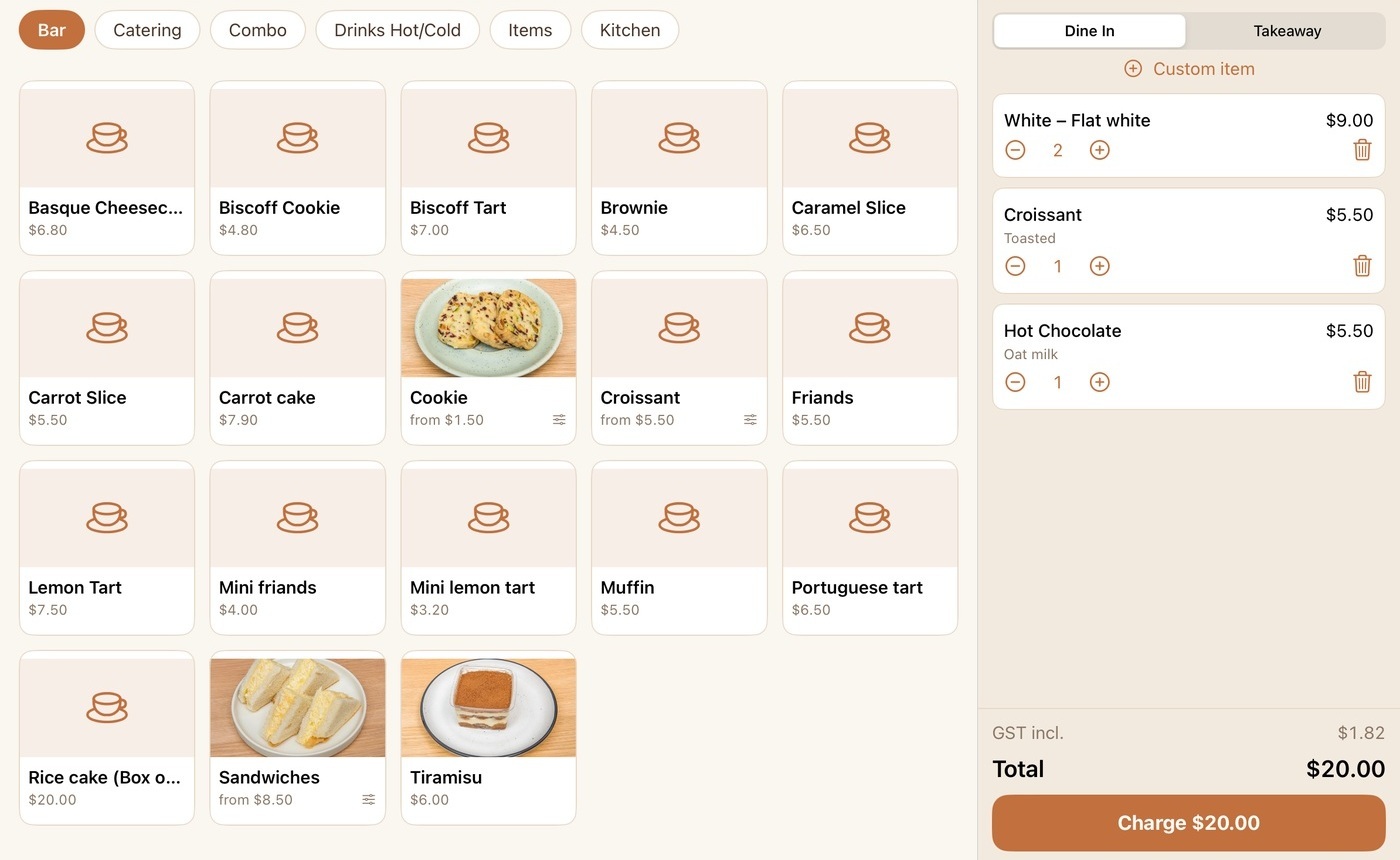
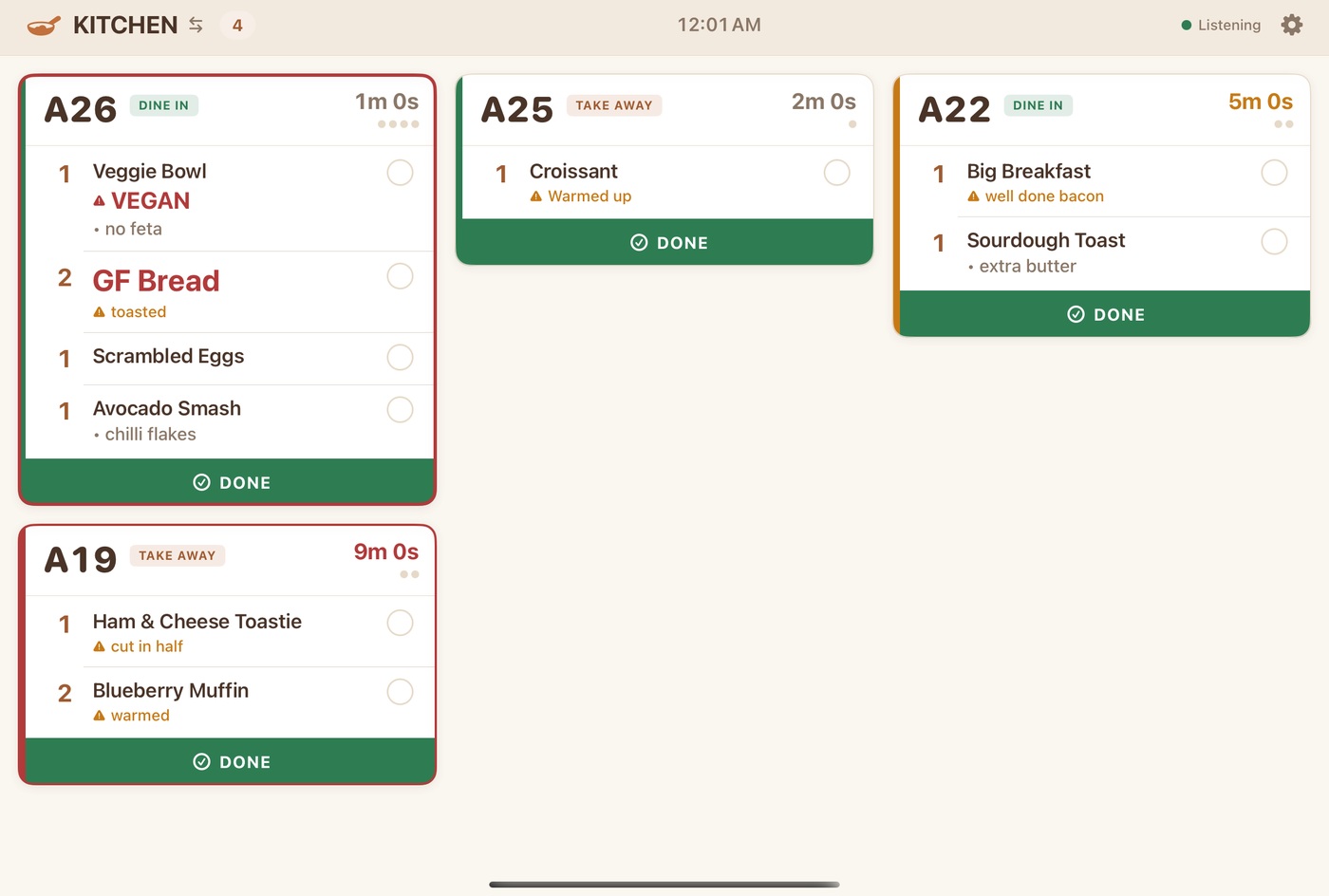
Nothing ships until it has been through real service. Every build runs on a working café’s counter through a full day of actual trade — orders, payments, refunds — before it goes out as an update. Problems surface at the counter, which is where they are cheapest to find and where a feature earns its place.
When the internet drops
A café should not stop selling because the connection does. SeedTree POS is built local-first, so an outage is an inconvenience rather than a closure.
The till keeps working
Menu, orders and takings live on the iPad itself, not in a browser tab. Nothing at the counter waits on a round trip, which is also why it is quick on a good day.
The kitchen keeps getting tickets
Orders reach the kitchen display over your own local network. That path never leaves the building, so it is unaffected by an internet outage.
The terminal was never the problem
Tyro already covers that side — their terminals carry a Telstra SIM you can switch to as a backup. The part that usually stops a café in an outage is the POS, and that is the part we fixed.
Takings queue up and sync once the connection returns — nothing is lost in the meantime.
What’s coming
Kitchen display — in testing
Routing per item and per modifier, not per category: a packaged sandwich raises no kitchen ticket at all, but add “Toasted” and the same line goes through. Set from your own menu in the admin app. Running on our counter daily; release follows App Store review.
Square menu import — December 2026
Bring an existing Square menu across automatically — items, variations, modifiers and categories — so moving a café onto SeedTree POS doesn’t start with retyping the whole menu.
Accounting integration — Q1 2027
Takings, tips and GST flowing from the till into the books, so the quarter is assembled as it is traded rather than reconstructed at BAS time.
Timing is our current plan, not a commitment. Neither changes the Tyro EFTPOS integration, which is built and in daily use.
Support
- Phone
- 0490 420 489
- cloud@seedtree.com.au
- Hours
- Monday to Friday, 9:00am – 2:30pm (Sydney time)
Merchants running SeedTree POS can reach us by email. Outside the hours above, email is
still monitored and anything urgent is picked up the next morning.
For anything about a card payment itself — a terminal fault, a settlement or a
chargeback — Tyro’s own merchant support is the faster route and runs longer hours,
since the payment is theirs end to end.